

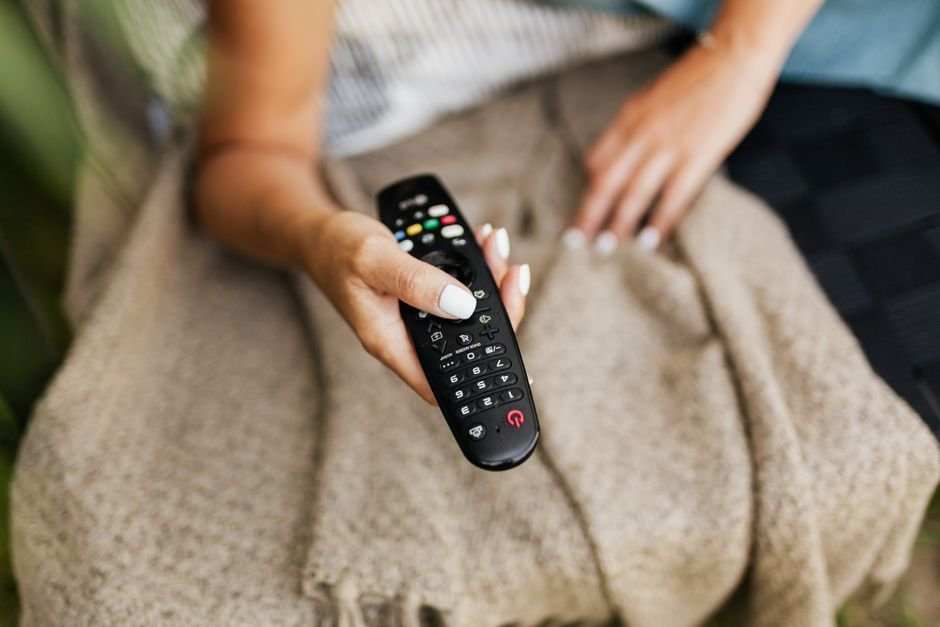




You sit down on the sofa, grab the remote, and press power. Your screen flickers to life, but instead of crisp live sports, you stare at a frozen loading circle. Frustration kicks in immediately because cheap hardware struggles to process heavy video streams. Finding the best IPTV devices changes everything about how you watch television at home. Choosing the right box or stick dictates whether your picture stutters or stays buttery smooth.
Hardware choices matter more than ever now. Internet service providers across the UK deliver fast fibre packages to millions of homes. Yet, many households plug their expensive subscriptions into outdated television software. That mismatch causes endless buffering errors. Let us look at what makes streaming hardware tick and compare the leading options currently on the market.
Amazon Fire TV Stick 4K: The Budget Favourite
Amazon hardware dominates living rooms across Britain. The Fire TV Stick 4K sits comfortably in millions of households. It costs very little compared to dedicated media centres. You plug it straight into an HDMI port on the back of your television. Power comes from a standard USB socket or wall plug. Setup takes five minutes using an existing Amazon account.
Performance surprises most people given the small physical size. The quad-core processor handles heavy video decoding without breaking a sweat. Wi-Fi 6 support means wireless speeds stay rock solid if your router sits nearby. Sideloading popular media players onto this platform remains straightforward. That flexibility explains why many enthusiasts rank it among the best IPTV devices for everyday use.
Storage space remains a minor headache here. You only get eight gigabytes of internal memory. Heavy app installations fill that drive quickly. Caches need regular clearing to keep menus snappy. Still, the low price point makes minor storage limits easy to forgive.
Apple TV 4K: Premium Power and Speed
Apple approaches the living room with typical stubbornness and brilliance. The Apple TV 4K costs significantly more than rival sticks. You pay for top-tier silicon and an operating system that never stutters. The A15 Bionic chip inside flies through menu navigation and heavy stream decoding. Video playback looks breathtaking on compatible OLED screens.
Ethernet ports come built directly into the more expensive configuration. Hardwiring your network connection eliminates wireless dropouts completely. Applications run smoothly with zero frame drops during fast motion sequences. If money matters less than pure performance, this box wins hands down.
The remote control divides opinion across the internet. Aluminium construction feels wonderful in the hand. The touch-enabled clickpad frustrates some users who prefer physical directional buttons. tvOS also lacks the casual sideloading freedom found on Android rivals. You rely entirely on the official App Store. Developers still provide fantastic media clients, so finding a good player takes minimal effort.
Android TV Boxes and Nvidia Shield
Open platforms offer maximum control. Android TV hardware ranges from cheap generic imports to high-end media powerhouses. Generic boxes flood online marketplaces cheaply. Many of those cheap imports feature bloated software and fake specifications. Steer clear of unbranded hardware found on bargain sites.
The Nvidia Shield TV stands alone at the top of the Android ecosystem. It commands a high price tag. In return, you get upscaling technology that makes standard-definition broadcasts look remarkably sharp. The Tegra X1+ chip crushes any decoding task you throw at it. USB ports let you attach external storage or wired keyboards easily.
Google TV interfaces give you total freedom to install any application file you want. You don’t have to wait for official store approvals. Customization options run deep for advanced users who love tweaking settings. This versatility places high-end Android hardware firmly on the shortlist of the best IPTV devices for power users.
Smart TV Built-in Apps: Convenience vs Performance
Modern Samsung and LG televisions run sophisticated operating systems out of the box. Tizen and webOS power millions of flat screens without external hardware. Skipping external sticks sounds tempting. You avoid extra wires dangling behind your furniture. You also lose a remote control from the clutter on your coffee table.
Built-in software has limits. TV manufacturers rarely include powerful processors inside standard television chassis. As operating systems receive updates, older panels slow down noticeably. Video codecs update faster than television hardware cycles change. A TV bought three years ago might struggle with modern high-bitrate streams.
App stores on proprietary TV platforms lack the deep catalog found on dedicated streaming boxes. Finding a reliable client application proves difficult on certain brands. External hardware almost always outperforms built-in television software over time. Keep that in mind before relying solely on your TV’s native app store.
Roku and Alternative Platforms
Roku devices sell in huge numbers across UK retail stores. Their interface prioritises simplicity above all else. Finding your favourite applications takes seconds. Unfortunately, Roku operates a closed ecosystem with strict developer rules. Finding flexible media players proves nearly impossible on this platform.
Most advanced streaming apps face rejection from Roku’s store guidelines. That makes these units poor choices for flexible home setups. Stick to Amazon, Apple, or Android hardware if you want complete control over your viewing experience.
Network Performance: Ethernet vs Wi-Fi
Hardware power means nothing without a stable internet connection. High-definition video streams demand consistent bandwidth. Wi-Fi networks suffer from interference caused by thick walls and neighboring routers. Microwaves and baby monitors also disrupt wireless signals unexpectedly.
Running a physical ethernet cable fixes most streaming hiccups instantly. If wiring your house proves impossible, invest in a modern mesh Wi-Fi system. Placing a node near your television guarantees strong signal reception. For more details on handling multiple screens around the house, check out this guide on managing connection limits. Network stability dictates your daily happiness more than any single hardware choice.
Making Your Final Choice
Selecting hardware depends entirely on your personal budget and technical patience. Budget-conscious households find incredible value in Amazon’s ecosystem. Users invested in the wider Apple product family appreciate the sheer speed of tvOS. Tech enthusiasts who love deep customization will always choose high-end Android boxes. Match your purchase to your actual viewing habits rather than buying features you will never touch.
For more information, IPTV UK.
Related reading
- Xtream Codes API vs Stalker Portals: Which Backend Powers Better UK IPTV Streaming?
- 7 Things to Know About IPTV Catch-Up and Timeshift Features in the UK
Update: How UK Catch Up Apps and Live Streaming Changed British Television
Pingback UK Catch Up Apps: How British TV Streaming Works