





- Choosing Your Living Room Streaming Setup
- The Case for Dedicated IPTV Hardware Players
- Processing Power and Dedicated Silicon
- Infrared Remotes and Tactile Feedback
- The Case for Software Apps on Streaming Sticks
- Cost and Flexibility Advantages
- Interface Customisation and EPG Integration
- Direct Comparison: Day-to-Day Stability in UK Homes
- Power Consumption, Heat, and Living Room Clutter
- The Verdict: Which Setup Wins for UK Viewers?
Choosing Your Living Room Streaming Setup
You sit down on the sofa at seven o’clock on a Tuesday evening. You pick up the remote. You want your live channels to load instantly without freezing right before a goal. Deciding how your signal reaches your television matters more than your broadband speed. Some viewers buy dedicated set-top boxes. Others install apps directly onto affordable streaming sticks. Both approaches handle live streams differently.
An IPTV hardware player sits physically wired into your broadband router and television. Software apps rely instead on the operating system built into your smart TV or a plug-in media stick. Each method brings distinct advantages for British households. Your choice shapes your daily viewing habits.
The Case for Dedicated IPTV Hardware Players
Dedicated boxes like the Formuler Z series or MAG units run on closed or heavily customised operating systems. They do not run web browsers or casual mobile games. They exist for one single job. They decode video streams.
Hardware manufacturers build these devices with purpose-designed silicon chips. These processors handle heavy video codecs effortlessly. You won’t notice stuttering when switching rapidly between high-definition news channels and sports streams. Ethernet ports come standard on almost every proper set-top box. That physical cable removes Wi-Fi interference entirely.
Processing Power and Dedicated Silicon
Cheap streaming sticks often thermal throttle after a few hours of continuous use. Their tiny plastic casings trap heat. Dedicated set-top boxes include larger circuit boards and sometimes passive heatsinks. They maintain peak performance during long viewing sessions.
Memory bandwidth matters when buffering live feeds. Dedicated hardware usually pairs its processor with ample RAM. Channel lists load faster because the system caches large EPG data locally without choking the storage drive.
Infrared Remotes and Tactile Feedback
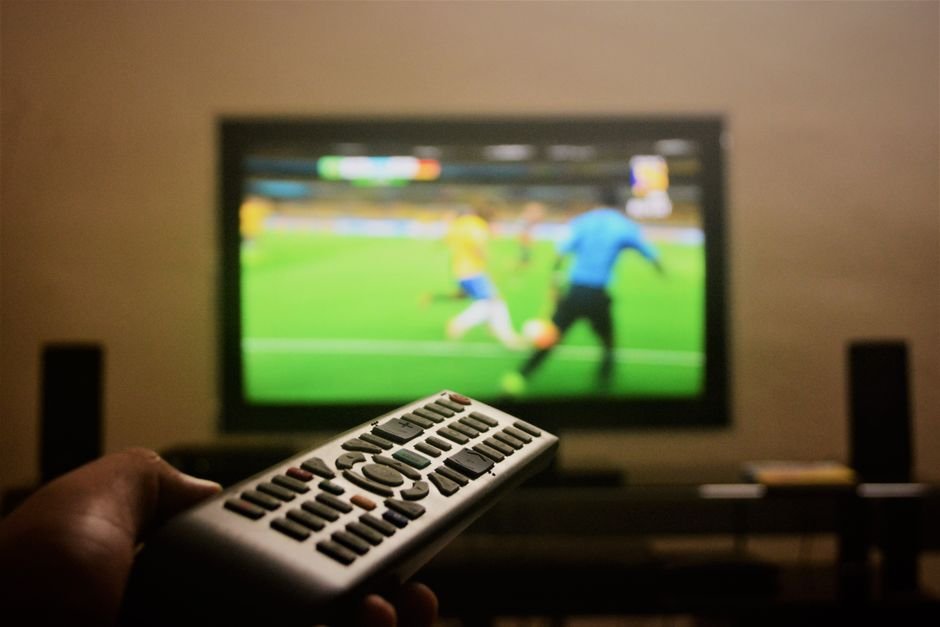
Touchscreens dominate modern phones, but living rooms demand physical buttons. Dedicated hardware remote controls offer tactile layouts. You get dedicated channel-up and channel-down buttons. You don’t have to hunt through onscreen menus just to change a channel.
Many of these remotes use radio frequency alongside infrared. You don’t need to point the clicker directly at the box. That small convenience changes how natural the setup feels.
The Case for Software Apps on Streaming Sticks
Apps like TiviMate or XCIPTV turn ordinary hardware into powerful media centres. You can install Amazon Fire Stick devices behind your television with zero visible wires. Portability wins here. You can unplug the stick and take it on holiday.
Upfront costs stay remarkably low. You probably already own a compatible device or a modern smart TV. Downloading an app takes minutes. You bypass the expense of buying specialized standalone hardware.
Cost and Flexibility Advantages
Standalone boxes cost significantly more than basic media sticks. Software apps let you allocate your budget toward your subscription rather than the equipment. If an app stops receiving updates, you simply download a different player from the app store.
Software flexibility allows multi-room setups on a tight budget. You can put a cheap streaming stick in the bedroom and a more capable box in the lounge. Your subscription moves with your profile rather than your physical hardware.
Interface Customisation and EPG Integration
Software apps excel at customisation. Modern IPTV apps offer custom themes, multi-screen views, and advanced catch-up menus. You can resize thumbnail previews or reorder channel categories easily.
Electronic programme guides look crisp and modern on software players. Developers update these apps frequently. New features arrive every few months without requiring a hardware replacement.
Direct Comparison: Day-to-Day Stability in UK Homes
Stability separates hobbyist setups from reliable daily drivers. BT and Virgin Media routers push heavy traffic through British homes every evening. Local network congestion tests every streaming device.
Dedicated hardware handles peak traffic hours smoothly. Its operating system has zero background bloatware running updates while you watch. Software apps on generic streaming sticks share resources with voice assistants, background app refreshes, and OS telemetry.
When you stream high-bitrate feeds, network overhead matters. If you care about crystal-clear picture quality, you should also read our guide on 4K IPTV streaming requirements to understand how different devices handle heavy video files.
Wi-Fi congestion in urban flats causes endless headaches for software app users. Concrete walls block wireless signals. Dedicated boxes bypass this issue by accepting a direct Ethernet drop from your broadband router.
Power Consumption, Heat, and Living Room Clutter
Energy bills matter to every household. Dedicated set-top boxes draw slightly more power than micro-sticks. Yet, their larger power supplies run cooler overall because they dissipate heat efficiently.
Clutter drives people crazy. A small HDMI stick hides completely behind your television mount. A set-top box requires shelf space, an Ethernet cable, and a dedicated power brick. Minimalist living rooms favour the invisible software app approach.
The Verdict: Which Setup Wins for UK Viewers?
Choose an IPTV hardware player if you watch live television constantly and demand zero buffering. Hardcore sports fans and large families benefit from the rock-solid stability of dedicated Ethernet boxes.
Choose software apps if you want a clean, hidden setup with low initial costs. Casual viewers find media sticks easier to manage and simpler to relocate around the house.
Match your hardware to your viewing style. If live TV forms the backbone of your daily routine, invest in dedicated hardware. If you just watch a few matches on weekends, a software app on a media stick makes more sense.
For more information, IPTV UK.
Related reading
- How to Clean IPTV Cache and Temporary Files for Faster Streaming
- Smart TV Apps vs Dedicated Streaming Boxes: Which Wins for IPTV?
Update: IPTV Remote Apps: Controlling Your UK Setup Without the Plastic Clicker
Update: Fire TV Stick 4K vs Apple TV 4K for UK IPTV Streaming
Explore Our Flexible IPTV Plans and Start Streaming Today
Main events, undercards and title fights streamed in 4K. No pay-per-view charges, no contract, instant activation on any device.
Pingback IPTV Buffering Fixes UK: Stop Lagging Streams
Pingback MAG Box vs Android Box for UK IPTV: Ultimate Comparison
Pingback IPTV Remote Apps for UK Viewers: Best Mobile Controls
Pingback IPTV EPG Setup: A Step-by-Step UK Guide
Pingback Smart TV Apps vs Streaming Boxes for IPTV UK