





Comparing TiviMate vs IPTV Smarters for Daily Use
Choosing the right media player changes how you watch television every evening. When people evaluate TiviMate vs IPTV Smarters, they usually want to know which software feels better to use on a standard living room screen. Both options sit on many streaming devices across British households. Yet they offer very different experiences once you boot them up. You might prefer a clean interface that mimics a traditional satellite box. Or you might want a tool that works smoothly across multiple different screens without fuss.
Finding a reliable feed isn’t just about the software. If you encounter stuttering during peak evening hours, your app choice might not be the main culprit. You can read more about connection issues in our guide on why your IPTV subscription keeps freezing during live football matches. Hardware matters too. A basic app can feel sluggish on an older Fire TV Stick. Performance depends heavily on what gadget runs the software.
Why TiviMate vs IPTV Smarters Matters for Your Living Room
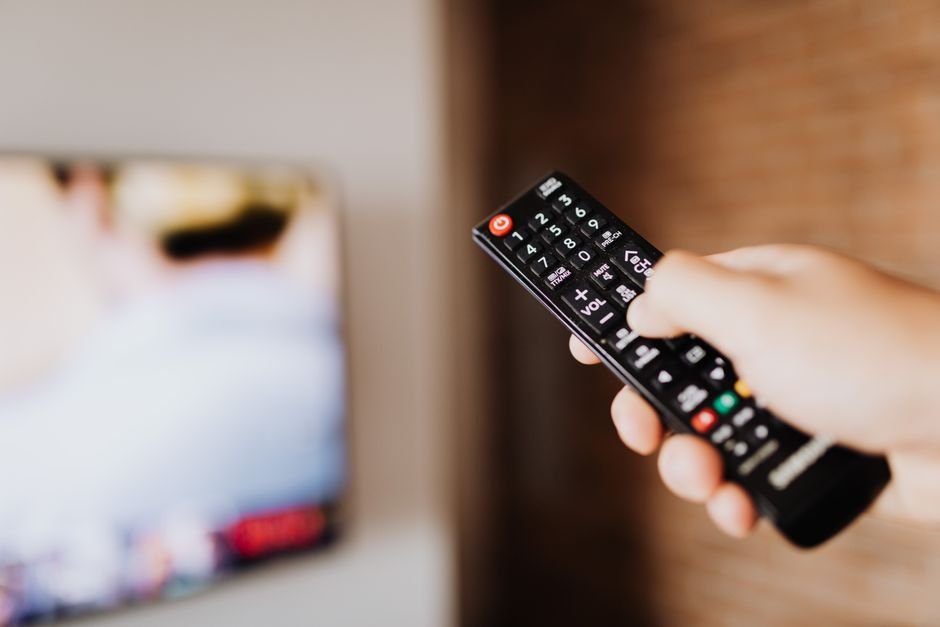
Your remote control gets a workout with either option. TiviMate brings a layout that feels remarkably close to Sky Q or Virgin Media boxes. It uses a grid guide that loads fast. Channel switching happens in a fraction of a second. That speed makes a huge difference when you flick between sports matches on a Saturday afternoon.
IPTV Smarters takes a different route. It spreads features across a colourful dashboard with separate buttons for live TV, movies, and catch-up content. Families often like this layout because kids find it simple to tap through. You don’t need a PhD to figure out where the movies live. But that extra visual flair comes with a catch. The menus involve more button presses to reach your favourite channels.
Interface Layout and Navigation
First impressions count for a lot. TiviMate hides the clutter. You press the guide button and see a clean programme schedule. Customisation sits at the heart of this app. You can tweak transparency, alter font sizes, and assign custom buttons on your remote. Power users love this level of control.
IPTV Smarters relies on a fixed design framework. Branding changes slightly depending on whether you use the standard version or a provider-customised build. The home screen features large tiles. It looks modern. Still, heavy users sometimes find the extra menu layers frustrating. You have to back out of a submenu just to check what plays next on another channel.
If you want to feed your playlists into these apps cleanly, getting the right file format sorted beforehand saves massive headaches. You can check out the complete guide for easy streaming in 2026 to see how playlist structures interact with different player architectures.
Electronic Programme Guide (EPG) Performance
A dodgy TV guide ruins any viewing session. TiviMate handles EPG data brilliantly. It updates schedules in the background without freezing your screen. Catch-up programmes show up clearly marked with little icons next to the titles. You can scroll back through days of missed broadcasts easily.
Symptomatic delays plague lesser apps when loading large EPG sources. IPTV Smarters handles medium-sized guides fine. Load up a massive multi-country playlist with thousands of entries, though, and you might notice a stutter. Updating the guide sometimes requires manual intervention if the automatic sync drops out.
Multi-Screen and Multi-Playlist Support
Modern homes rarely rely on just one subscription line. You might manage a personal playlist alongside a family package. TiviMate handles multiple playlists smoothly under a unified guide. You can group channels logically. Premium unlocks split-screen viewing too. Watching two sports streams side-by-side works well if your broadband package handles the extra bandwidth.
IPTV Smarters includes multi-screen support as well. The interface allows up to four screens at once on compatible hardware. Setting up multiple playlists takes a few menu taps. Both apps manage multiple sources competently. TiviMate keeps everything tidier under the hood.
Pricing and Licensing Models
Free versions exist for both platforms, but they come with heavy limits. IPTV Smarters offers a free base tier with ads or restricted features. Unlocking the full version usually involves a one-off fee or an annual subscription depending on the app store version.
TiviMate uses a freemium model. The free app gives you basic playback. The premium tier unlocks recording, multiple playlists, and advanced customisation. You can pay yearly or grab a lifetime licence. Most long-term users agree the lifetime option pays for itself quickly if you own several Fire sticks or Android boxes.
The Verdict for UK Viewers
Both applications serve British streamers well, yet they target different types of users. IPTV Smarters wins points for approachability. It runs on almost anything, looks bright, and requires very little setup knowledge.
TiviMate takes the crown for serious daily viewing. The speed, reliability, and proper TV guide layout make it the superior choice for anyone who watches live television constantly. If you value a responsive interface and hate waiting for menus to load, install TiviMate.
For more information, IPTV UK.
Related reading
- Understanding UK IPTV Formats: M3U Playlists and EPG Explained
- Demystifying UK IPTV Billing and Subscription Terms
Update: IPTV UK Myths: Separating Fact From Fiction on Setup and Speed
Update: IPTV Buffering UK: Why Your Stream Stutters and How to Fix It
Update: UK IPTV Glossary: 15 Essential Terms Every Beginner Should Know
Pingback IPTV UK Myths: Fact vs Fiction for Better Streaming
Pingback IPTV UK Devices: Choosing the Right Screen & Hardware