





- Smart TV Apps vs Streaming Sticks: The Best Way to Watch IPTV in the UK
- The Appeal of Native Smart TV IPTV Setup
- Performance Realities on Smart TVs
- Why Dedicated Hardware Changes the Equation
- Processing Power and Memory Limits
- Interface Speed and Channel Navigation
- Wi-Fi Reception and Network Stability Indoors
- Making the Final Choice for Your Living Room
Smart TV Apps vs Streaming Sticks: The Best Way to Watch IPTV in the UK
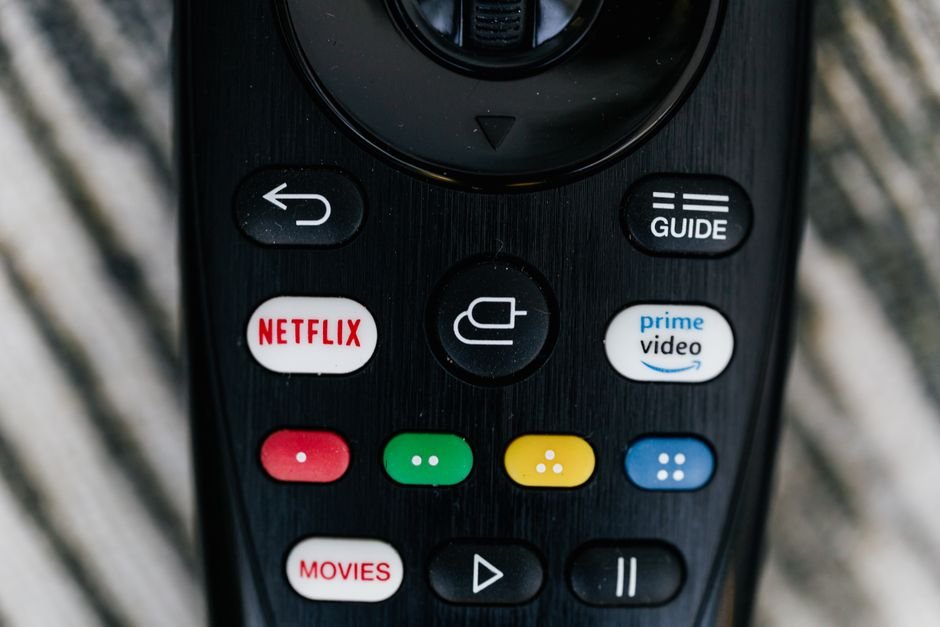
You press the power button on your remote. The screen lights up with your living room lights reflecting off the glass. Choosing how to run your Smart TV IPTV setup shapes every single viewing session you have in your house.
Many households across Britain plug straight into the built-in operating system of their television. Others plug a separate media player into the back HDMI port. Both paths bring television channels through your broadband router. But they handle the heavy lifting quite differently.
The Appeal of Native Smart TV IPTV Setup
Running apps directly on your television screen removes clutter. You don’t need a spare plug socket behind the unit. You keep your coffee table free from extra remote controls. Samsung runs Tizen, LG uses webOS, and Sony relies on Google TV. Each platform offers its own app store where you can download software directly onto the hardware.
You just grab your main television remote and open the app. It feels simple because fewer cables run across the floor. Your broadband router talks straight to the television’s internal Wi-Fi chip. For basic viewing, this setup gets picture and sound onto your panel without extra gear.
Yet, convenience comes with hidden costs. Television manufacturers build screens to display pictures well. They often cut corners on internal computer chips to keep retail prices competitive. A budget television from a high street retailer rarely packs a punch under the hood.
Performance Realities on Smart TVs
Streaming live feeds takes serious computing muscle. Your screen has to decode incoming data streams, render menus, and update electronic programme guides all at once. Internal television processors struggle when faced with massive channel lists containing thousands of entries.
Memory limits cause frustrating crashes. When you open a player app on an older television, you might notice sluggish scrolling. Sometimes the application closes itself entirely. This happens because the television runs out of random access memory to handle the cache. If you want to dive deeper into software choices, check out this guide on choosing the right IPTV player apps UK: a complete software guide for more details on compatible software.
Updates also complicate matters. Television brands stop supporting older models after a few years. Your operating system freezes in time. Security patches stop arriving, and newer app versions refuse to install.
Why Dedicated Hardware Changes the Equation
External streaming hardware shifts the workload away from your television panel. Devices plug directly into an HDMI port and run their own independent operating systems. They pack dedicated processors built specifically for decoding video streams.
These little gadgets boot up fast. They handle large playlists smoothly because their hardware focuses entirely on media playback. When an app updates, the streaming stick handles it without waiting for television firmware updates.
You also gain better remote controls. Many streaming sticks use Bluetooth rather than infrared. You don’t need to point the clicker directly at the box. Voice search functions actually work well on these platforms too.
Processing Power and Memory Limits
Internal television processors handle picture processing, colour calibration, and audio routing. Adding a demanding media app on top of that load stretches the system thin. It results in stuttering video and delayed menu responses.
External hardware dedicates all its resources to playback. A separate device uses a modern quad-core processor just for apps. It has dedicated graphics chips that make scrolling through channel guides smooth. You won’t wait ten seconds for a menu to load.
Storage capacity matters too. Smart TVs usually offer very little internal space for apps and cached data. You run out of room quickly. Streaming sticks often provide more breathing room for your software needs.
Interface Speed and Channel Navigation
Scrolling through a massive channel list tests any system’s patience. On a budget television, loading hundreds of channel logos causes noticeable lag. Pictures pop in slowly as you scroll down the page.
Dedicated players cache data much better. They load thumbnails instantly. You move from sports channels to news feeds without staring at a spinning loading wheel.
This speed difference ruins or saves the user experience. Nobody wants to wait ages just to change a channel.
Wi-Fi Reception and Network Stability Indoors
Your television sits against a wall, often near power cables and other electronics. Internal Wi-Fi antennas inside flat screens face interference from the display panel itself. This poor placement hurts signal reception.
Streaming sticks hang off the back of the television or sit on a media unit. They often use better wireless chips. Some models even support newer Wi-Fi standards that cut through local interference in busy urban flats.
If your router sits downstairs, wireless signal dropouts ruin your viewing. External boxes sometimes let you attach Ethernet adapters directly. That wired connection solves buffering issues permanently.
Making the Final Choice for Your Living Room
If you want a minimal setup with zero extra cables, using built-in Smart TV IPTV apps works fine for casual viewing. You avoid buying extra gear. You keep your setup simple.
If you watch live feeds daily and hate waiting for slow menus, buy a dedicated streaming stick. The performance boost pays off immediately. Your viewing stays smooth, reliable, and frustration-free.
For more information, IPTV UK.
Related reading
- What is IPTV and How Does It Work in the UK?
- 7 Essential Things to Know About Using IPTV UK Devices at Home
Pingback Tivimate vs IPTV Smarters: Best UK Streaming App Compared
Pingback IPTV UK Devices: Which Screen Suits Your Living Room Best?