

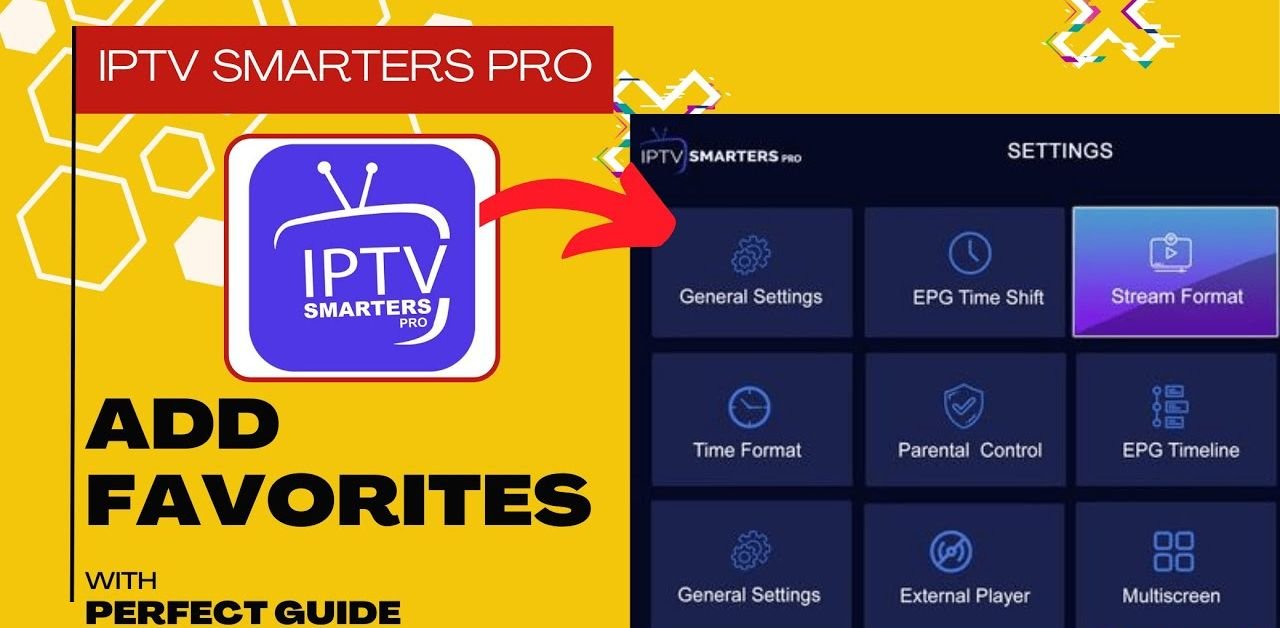




An IPTV UK favourites list is the single most useful thing you can set up after your subscription works, and the one most people never get round to. A lineup of twenty thousand channels sounds generous until you are scrolling past four hundred international sports feeds trying to find the one news channel you watch every evening. This guide covers how to build a favourites list that actually reflects your viewing, how the process differs between players, how to organise it if the household watches different things, and how to keep it working when the lineup changes.
Why an IPTV Favourites List Matters
The problem is one of scale rather than quality. A large lineup is genuinely valuable — it means the obscure channel you occasionally want is actually there. But most households watch somewhere between ten and twenty channels regularly, and everything else is noise between you and them.
A favourites list is a form of digital bookmarking applied to television: you mark the handful you use, and the player shows you those first. The full lineup stays available whenever you want it, but stops being the default view. The practical difference is significant. Finding a channel drops from thirty seconds of scrolling to two button presses, which changes how the service feels far more than any technical specification does.
Building Your First IPTV Favourites List
Do it once properly rather than adding channels ad hoc, and it takes about ten minutes.
Start by writing down what you actually watch. Not what you might watch — what you have watched in the past fortnight. Most people are surprised how short the list is. Ten to twenty is typical.
Then find each one in the full lineup and mark it. In almost every player, this means highlighting the channel and either long-pressing the OK button or pressing a dedicated favourites button on the remote. A star or heart icon usually appears to confirm.
Finally, switch the player to show favourites by default. This is the step that matters, and the one people skip — marking channels achieves nothing if the app still opens on the full list. The setting is usually in the player’s general or startup options.
Adding IPTV Favourites in Each Player
The concept is universal, but the buttons differ.
Smarters-Style Players
Navigate to Live TV, highlight a channel, and hold the OK button until a menu appears with an “add to favourites” option. The favourites category then appears at the top of your category list. Some versions also allow adding from within playback.
TiviMate
TiviMate handles this better than most, supporting multiple named favourite groups rather than a single list. Press and hold on a channel to add it, and you can create separate groups for different purposes. Our TiviMate guide covers the app’s wider configuration.
Smart TV Apps
Built-in TV apps tend to be simplest — usually a star button on the remote or an option in the channel context menu. Fewer features, but also fewer things to configure wrong.
Organising IPTV Favourites for a Household
A single IPTV favourites list works for one person and starts to strain when several people share the television. If your player supports multiple groups — TiviMate and some others do — separate lists solve this cleanly. One for sport, one for children, one for news and documentaries. Everyone finds their own section without scrolling past everyone else’s. If your player only supports one list, the practical compromise is to include everyone’s regulars and accept a slightly longer list. Twenty-five channels covering the whole household is still dramatically better than twenty thousand.
For families, pairing this with the children’s channels in their own group is particularly worthwhile — our channel lineup guide covers what is available by category.
What to Include in Your IPTV Favourites
A rough structure that works for most households.
| Terrestrial UK | 5–6 | The main channels watched daily |
| Sport | 3–5 | Only the ones you follow, not every feed |
| News | 1–2 | More than two is rarely used |
| Films | 2–3 | Plus the on-demand library separately |
| Children | 2–4 | If relevant to the household |
| Documentary / other | 1–3 | Whatever you genuinely return to |
Around fifteen to twenty total is the sweet spot. Beyond thirty, you have recreated the scrolling problem in miniature.
Keeping IPTV Favourites Current
Channel lineups change — feeds get renumbered, renamed, or replaced, and occasionally a favourite stops working while the channel itself is fine. When that happens, the fix is to remove the broken entry and re-add the channel from the current lineup rather than assuming the channel is gone. This is common after a provider updates their lineup, and it is not a fault with your subscription. It is also worth reviewing the list every few months. Viewing habits drift, and a list built around last year’s routine slowly stops matching what you watch. Two minutes of pruning restores it.
IPTV Favourites and the Programme Guide
One detail worth knowing: filtering the guide to favourites usually makes it dramatically more useful. A full programme guide across twenty thousand channels is effectively unreadable — you cannot scan it, only search it. Filtered to fifteen favourites, it becomes what a guide is supposed to be: a single screen showing what is on now and next across everything you watch. Most players apply the favourites filter to the guide automatically once set. If yours shows the full lineup in the guide despite a favourites list existing, check the guide settings specifically — our EPG guide covers guide configuration.
Frequently Asked Questions
How do I add a channel to IPTV favourites?
Highlight it in the channel list and hold the OK button, or press the dedicated favourites button if your remote has one.
Why does the app still show all channels?
Marking favourites is only half the job. Set the player to open on favourites by default in its startup or general settings.
Can I have more than one IPTV favourites list?
In some players, yes — TiviMate supports multiple named groups. Simpler apps allow only one.
Do IPTV favourites sync across devices?
Usually not. Each app stores its own list locally, so you build it per device.
Why has a favourite stopped working?
The lineup has probably changed. Remove the entry and re-add the channel from the current list.
How many channels should I add?
Fifteen to twenty covers most households. Beyond thirty you are scrolling again.
Ten Minutes Well Spent
An IPTV favourites list is the difference between a service that feels overwhelming and one that feels like television. Write down what you actually watch, mark those channels, and set the app to open on them — that is the whole job. Every IPTV UK plan includes the full lineup, so building a favourites list costs nothing and changes everything about how it feels to use. The same applies across providers — any IPTV United Kingdom service with a large lineup benefits from the same ten minutes of organisation.
Explore Our Flexible IPTV Plans and Start Streaming Today
Main events, undercards and title fights streamed in 4K. No pay-per-view charges, no contract, instant activation on any device.
Leave a Reply