





- The Raw Speed Trap: Why Megabits Aren't Everything
- Myth: More Megabits Always Mean Better Streaming
- Reality: Jitter, Latency, and Packet Loss Matter More
- Wi-Fi Wonders Versus Ethernet Facts
- Myth: Modern Wi-Fi Beats a Physical Cable Every Time
- Reality: Interference in British Homes
- Peak Hours and ISP Traffic Shaping Realities
- Myth: Your Full Fibre Connection Never Slows Down
- Reality: Local Contention Ratios During Live Events
- Optimising Broadband Speeds for IPTV UK Performance
- Running Proper Diagnostics Beyond Basic Speed Tests
You pay for a gigabit connection. Yet your live stream still stutters during a crucial Premier League match. Understanding broadband speeds for IPTV UK requires looking past the big numbers printed on your monthly ISP bill. Most households assume raw download megabits solve every streaming hiccup. That assumption causes endless frustration across British living rooms.
The Raw Speed Trap: Why Megabits Aren’t Everything
Internet service providers love marketing high headline numbers. They sell you packages boasting three hundred or nine hundred megabits per second. You think more data volume cures every buffering problem instantly. Reality operates differently.
Streaming a standard high-definition broadcast demands surprisingly little bandwidth. Ten to fifteen megabits per second handles a crisp HD picture easily. Even demanding four-peat ultra-high-definition feeds rarely require more than thirty or forty megabits. So why does a connection ten times that fast still drop frames? Because throughput is only one piece of the puzzle.
Myth: More Megabits Always Mean Better Streaming
People buy the priciest tier available assuming it fixes stream quality. It usually changes nothing for video delivery. If your line delivers fifty megabits cleanly, adding another eight hundred megabits gives your television zero extra benefit. Think of it like a massive motorway. Having twenty lanes doesn’t help if there’s a roadblock right at the exit ramp. Your data packets still get stuck behind bottlenecks further down the line.
Reality: Jitter, Latency, and Packet Loss Matter More
Three hidden network metrics dictate your actual viewing experience. Latency measures how long data takes to travel from the broadcaster to your router. High latency causes delays when changing channels. Jitter measures the consistency of that travel time. Wildly fluctuating jitter destroys real-time data flow. Packet loss means tiny chunks of video data simply vanish mid-transit. When packets go missing, your player freezes or drops resolution to compensate. You can read more about how traditional setups compare on our page covering IPTV vs Cable TV to see how delivery networks differ.
Wi-Fi Wonders Versus Ethernet Facts
Location and hardware inside your four walls influence stream stability just as much as your external provider. Wireless technology has improved dramatically over recent years. Older protocols struggled constantly with thick brick walls common in British houses. Modern routers handle multiple devices well, but wireless signals remain vulnerable to invisible interference.
Myth: Modern Wi-Fi Beats a Physical Cable Every Time
Convenience makes wireless connections the default choice for most homeowners. You don’t want cables running across carpets or up staircases. Modern Wi-Fi six routers advertise speeds that dwarf wired connections on paper. Yet paper specs ignore physical reality. A wireless signal degrades every single second it travels through the air.
Reality: Interference in British Homes
Microwave ovens, baby monitors, and thick Victorian masonry all disrupt wireless airwaves. Your neighbor’s router operating on the exact same wireless channel creates immediate congestion. Ethernet cables bypass all of this environmental chaos entirely. Copper wires deliver a direct, uninterrupted pipeline straight to your streaming device. If your setup allows a physical wire, plug it in directly. Your stream stability will improve immediately.
Peak Hours and ISP Traffic Shaping Realities
The internet isn’t an infinite void. It functions like a massive national grid. Millions of people log on simultaneously every single evening between seven and ten o’clock. This surge puts massive strain on local exchange infrastructure.
Myth: Your Full Fibre Connection Never Slows Down
Full fibre connections use pure glass cables right to your door. They avoid the old copper degradation issues plaguing older telephone lines. Advertisements claim these services remain completely immune to peak-time slowdowns. That claim is technically true for the physical line itself, but false in practice.
Reality: Local Contention Ratios During Live Events
When an entire neighborhood streams the same live sporting event at the exact same second, local exchange servers get slammed. The interconnect links between your provider and content delivery networks experience massive congestion. Traffic shaping policies can also kick in during peak load periods. Providers manage network congestion dynamically behind the scenes. This balancing act can introduce micro-stuttering into your live feeds even on premium packages.
Optimising Broadband Speeds for IPTV UK Performance
Fixing your setup requires a systematic troubleshooting approach. Stop guessing blindly at what might work. Start by auditing your actual home network environment with proper diagnostic tools.
Running Proper Diagnostics Beyond Basic Speed Tests
Standard online speed tests only tell you half the story. They measure maximum raw throughput to a nearby server. They rarely reveal packet loss or ping instability occurring over extended periods. Run continuous ping tests to check for jitter spikes. Restart your router weekly to clear cache memory leaks that build up over time. Sometimes a simple reboot clears routing tables and restores clean packet delivery.
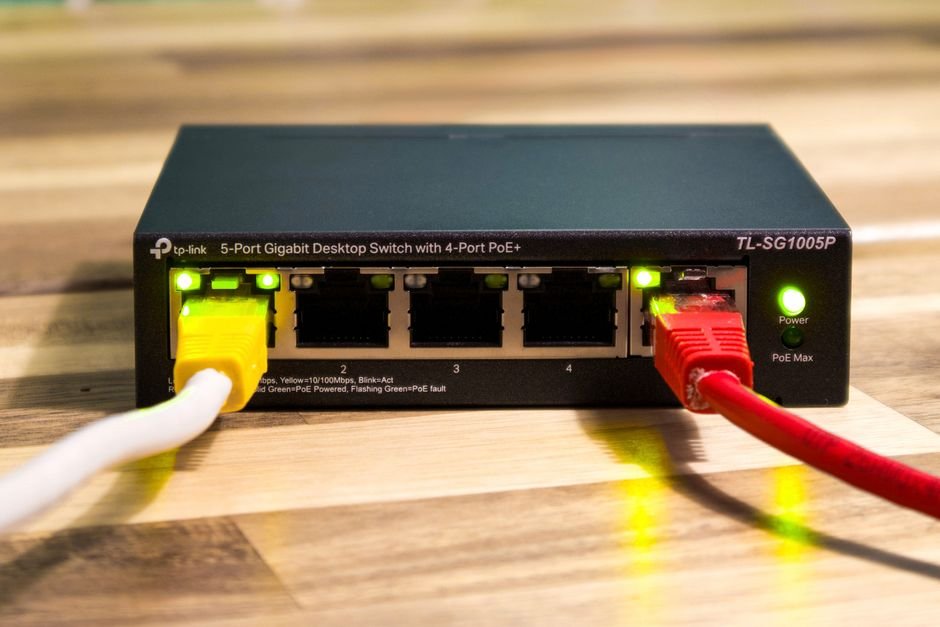
Check your local network hardware next. Outdated network switches or failing ethernet cables degrade signals silently. Upgrading a faulty cable costs very little and solves persistent freezing issues permanently. Keep your streaming hardware updated with fresh firmware releases too. Manufacturers patch network handshake bugs regularly.
Evaluating broadband speeds for IPTV UK is ultimately about stability rather than brute-force numbers. Prioritise a clean wired connection, monitor your local network traffic during peak evening hours, and address interference sources inside your home. Small adjustments yield massive improvements in your daily viewing experience.
For more information, IPTV UK.
Related reading
- How to Reduce Buffering During IPTV Streaming
- How UK Catch Up Apps and Live Streaming Changed British Television
Pingback UK Catch Up Apps: How British TV Streaming Works
Pingback Common IPTV Streaming Problems & Fixes for UK Viewers