

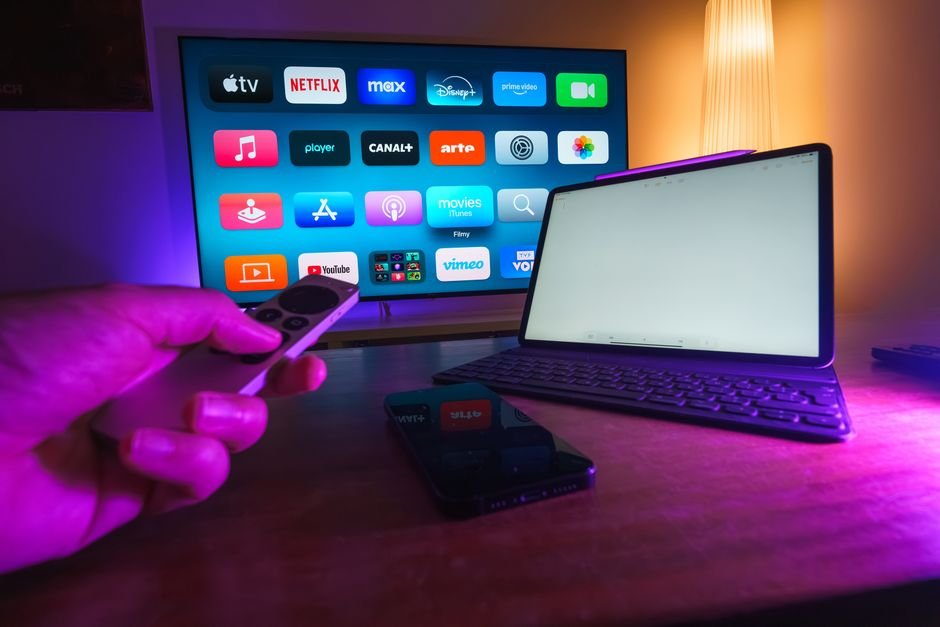




Setting up a modern television stream at home means picking the right hardware. Many people struggle because different IPTV UK devices handle apps, processing speeds, and network connections in completely unique ways. Your old television might lag, while a dedicated streaming stick glides through live channels without a stutter.
Smart TVs and Fire TV Sticks: The Core IPTV UK Devices
Amazon hardware dominates living rooms across Britain. Fire TV sticks are cheap, small, and reliable. They plug directly into your HDMI port and run on a modified version of Android. That makes side-loading apps or grabbing standard players from the app store simple.
Most modern Samsung and LG sets use proprietary operating systems like Tizen or webOS. These screens look sharp, but app support varies. You might find that your chosen app runs brilliantly on Android TV but refuses to install on an older LG model. Always check app compatibility before buying a new screen specifically for streaming.
Dedicated media players give you more control. Devices running Google TV or Android TV offer vast app stores and powerful processors. They handle high-bitrate live feeds smoothly. If you want a zero-fuss setup, grab a dedicated box.
Mobile Devices and Computers
Watching on a phone or tablet changes the equation completely. iOS and Android handle streams well, but touchscreens require different navigation habits. You will want a reliable media player application installed from your official app store to manage playlists.
Laptops and desktop PCs offer maximum flexibility. VLC media player opens almost any streaming link instantly. It is not ideal for the living room sofa, but it works wonders in a home office or student room.
Optimising Your Network for IPTV UK Devices
Hardware means nothing without a solid internet connection. British broadband speeds fluctuate during peak evening hours. If your Wi-Fi signal drops, your stream buffers immediately.
Ethernet cables solve this instantly. Plug your streaming box directly into your router if possible. Wired connections eliminate interference from thick walls and household appliances.
If drilling holes for cables is out of the question, upgrade to a mesh Wi-Fi system. Standard ISP-supplied routers often struggle to cover multi-story British houses. A proper mesh network keeps your hardware connected at full speed.
Processor Power and RAM Matter
Cheap no-name streaming boxes flood online marketplaces. They look tempting because of low price tags. Avoid them.
Underpowered hardware lacks the RAM needed to cache live video feeds. Menus stutter. Channels take ten seconds to load. Stick to trusted manufacturers like Amazon, Google, Apple, or Nvidia for a frustration-free experience.
Look for at least 2GB of RAM on any device you purchase. Anything less struggles with modern high-definition streams and electronic programme guides.
For more information, IPTV UK.
Related reading
- Firestick vs Smart TV App for UK IPTV: Which Setup Wins?
- Choosing and Setting Up IPTV UK Devices for Your Living Room
Update: A Beginner's Guide to Understanding IPTV Technology in the UK
Update: Setting Up and Using IPTV UK Devices Across Your Home
Pingback IPTV UK Devices: Complete Setup and Compatibility Guide
Pingback UK IPTV Glossary: 15 Terms Explained for Beginners